ATS Resume Checklist: Pass Automated Screening (2026)
Quick ATS resume optimization checklist. Format rules, keyword placement, and file settings to pass applicant tracking systems. Printable checklist included.
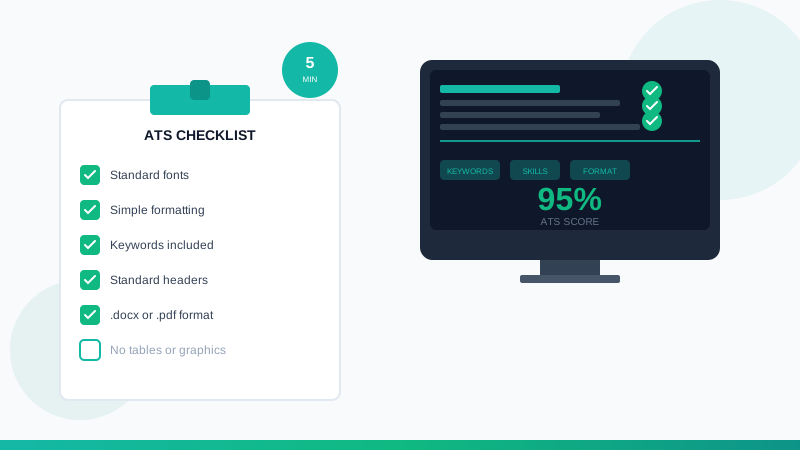
ATS Resume Checklist: Your 5-Minute Optimization Guide
Over 98% of Fortune 500 companies use Applicant Tracking Systems (ATS) to filter resumes before human review. A well-qualified candidate can be rejected simply because their resume format confuses the parser. This quick checklist ensures your resume passes automated screening every time. A strong ats resume checklist demonstrates this effectively. A strong ats resume checklist demonstrates this effectively.
Need the complete strategy? For comprehensive ATS guidance with examples and templates, see our full ATS resume guide.
Quick-Start Checklist
Run through this checklist before every application. Each item takes seconds to verify.
Format Verification
- [ ] File format: .docx or .pdf (check job posting for preference)
- [ ] Font: Standard font (Arial, Calibri, Times New Roman, Georgia)
- [ ] Font size: 10-12pt for body, 14-16pt for headings
- [ ] Margins: 0.5" to 1" on all sides
- [ ] Single column layout: No tables, text boxes, or multi-column designs
- [ ] No headers/footers: Contact info goes in main body
- [ ] No graphics: Remove logos, photos, icons, and decorative elements
Section Headers (Use These Exact Terms)
ATS parsers look for standard header text. Use these exact phrases:
| Section | Approved Headers |
|---------|-----------------|
| Contact | Contact Information, Contact |
| Summary | Professional Summary, Summary, Profile |
| Experience | Work Experience, Professional Experience, Experience |
| Education | Education, Academic Background |
| Skills | Skills, Core Competencies, Technical Skills |
| Certifications | Certifications, Licenses, Credentials |
Avoid: Creative headers like "Where I've Made an Impact" or "My Toolkit"
Keyword Optimization
- [ ] Job title match: Include exact job title from posting in resume
- [ ] Skills match: Mirror 8-12 keywords from job requirements
- [ ] Natural placement: Keywords in context, not keyword-stuffed lists
- [ ] Spelling match: "JavaScript" not "Java Script" (match posting exactly)
- [ ] Acronyms: Include both forms: "Search Engine Optimization (SEO)"
Contact Information
- [ ] Full name: First and last name on top line
- [ ] Phone: Single phone number with area code
- [ ] Email: Professional email address
- [ ] Location: City, State (no full address needed)
- [ ] LinkedIn: Full URL (optional but recommended)
- [ ] No photos: Remove headshots entirely
5 Formatting Rules That Matter
Rule 1: Simple Structure Wins
The ATS reads your resume top-to-bottom, left-to-right, like a document. Complex layouts break this flow.
DO:
```
WORK EXPERIENCE
Marketing Manager | Acme Corp | 2022-Present
- Led campaign that increased conversions 45%
```
DON'T:
```
[TABLE with date in left column, title in middle, company in right]
```
Rule 2: Standard Date Formats
Use consistent, parseable date formats throughout.
Approved formats:
- January 2024 - Present
- Jan 2024 - Present
- 01/2024 - Present
- 2024 - Present
Avoid: "Since 2024" or "3 years" or "Q1 2024"
Rule 3: Bullet Points, Not Paragraphs
ATS and human readers both prefer scannable content.
DO: Use standard bullet points (-, *, or •)
DON'T: Use custom symbols, checkboxes, or arrows
Rule 4: Plain Text Wins
Remove all formatting that could confuse parsers:
- No text boxes or shapes
- No tables (even for skills grids)
- No columns (single column only)
- No images or logos
- No watermarks
- No custom fonts
Rule 5: File Naming
Name your file professionally:
Good: `FirstName_LastName_Resume.docx`
Bad: `Resume_Final_v3_UPDATED.docx` or `Document1.pdf`
Keyword Placement Strategy
Keywords should appear in these locations (in priority order):
- Professional Summary - Top 3-5 keywords
- Job Titles - Match target role exactly
- Skills Section - Technical and soft skills from posting
- Work Experience - Naturally within achievement bullets
- Education - Relevant coursework or certifications
Keyword Density Guide
| Resume Section | Keyword Count |
|---------------|---------------|
| Summary | 3-5 keywords |
| Each Job Entry | 2-4 keywords |
| Skills Section | 8-15 keywords |
| Education | 1-3 keywords |
Warning: Stuffing keywords (white text, excessive repetition) triggers spam filters. Keep it natural.
File Format Decision Tree
```
Is .docx specifically requested?
├── Yes → Submit .docx
└── No → Is it a government/old portal?
├── Yes → Submit .docx
└── No → .pdf is fine
```
When both formats are accepted, .pdf preserves formatting better for human readers while .docx parses more reliably in older systems.
Pre-Submit Verification (60 Seconds)
Before clicking "Submit," run this final check:
- Copy-paste test: Select all text in your resume and paste into Notepad. Does it read correctly in order? Any garbled sections indicate parsing problems.
- Keyword count: Search (Ctrl+F) for the top 3 keywords from the job posting. Do they each appear 2-3 times?
- Section headers visible: Can you clearly see each major section (Summary, Experience, Education, Skills)?
- Contact info readable: Is your name, email, and phone visible in the plain text paste?
- File size check: Under 2MB? Large files can timeout during upload.
Common ATS Mistakes to Avoid
Avoiding these mistakes will make your ats resume checklist stand out. | Mistake | Why It Fails | Fix |
|---------|-------------|-----|
| Tables for layout | Cells may parse out of order | Use line breaks instead |
| Two-column design | Right column often missed | Single column only |
| Headers/footers | Often skipped by parser | Move to main body |
| Custom fonts | May not render or convert | Stick to standard fonts |
| Infographics | Completely invisible to ATS | Remove or replace with text |
| "References available" | Wastes space, assumed by default | Delete entirely |
ATS-Friendly Template Structure
```
[Your Name]
[City, State] | [Phone] | [Email] | [LinkedIn URL]
PROFESSIONAL SUMMARY
[2-3 sentences with top keywords]
WORK EXPERIENCE
[Job Title] | [Company Name] | [City, State] | [Date Range]
- [Achievement with metric and keyword]
[Previous Job Title] | [Company Name] | [City, State] | [Date Range]
- [Achievement with metric and keyword]
EDUCATION
[Degree] in [Major] | [University Name] | [Graduation Year]
[Relevant certifications or coursework]
SKILLS
[Skill 1] | [Skill 2] | [Skill 3] | [Skill 4] | [Skill 5]
[Skill 6] | [Skill 7] | [Skill 8] | [Skill 9] | [Skill 10]
```
Next Steps
Your resume is now ATS-optimized. To maximize your chances:
- Build your resume with our AI resume builder - templates are pre-optimized for ATS
- Check your score with our ATS checker tool
- Read the full guide for advanced strategies: Complete ATS Resume Guide
Related Resources
Build your resume now with our AI-powered resume builder.
Ready to Build Your Resume?
Put these tips into action with our AI-powered resume builder. Create a professional resume in minutes.
Build Your Resume Now